
CYANOTYPE
BLUEPRINT DESKTOP
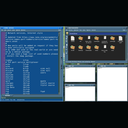
Layouts
Tiling is a layout you turn on when you want one. The desk starts out floating, with ordinary frames, and it stays that way until you ask. Hold Ctrl+Alt and tap t. Each tap steps to the next layout, and a preview stays up while the keys are still down. Let go and that layout becomes the desk. Escape backs out of the preview. Ctrl+Alt+f puts the desk back to floating. The mouse still moves a window. The frames stay the frames you already have, because tiling changes where windows sit, not how they are drawn.
A desktop that is only a tiler makes the layout into the interface. You learn its keymap, and you live in a configuration file written like a program, before a window will sit where you want it. Here you keep the desk you were already using, and you call a layout when you want one. The preferences tab is the whole control surface. There is no separate tiling program to configure.
The chord cycles the modes that are checked on that tab. These are all of them:
Tiling lays windows out inside the work area. It does not cover the desktop exclusion zone, which is the strip reserved so the toolchest stays reachable. The mosaic stops at that strip. You set the strip up in CyDock. Max fullscreen is the one tile mode that covers the strip, on purpose, the same way a fullscreen window does. Every other mode leaves the strip alone. A window you drag there yourself stays where you put it. The layout will not place one there.
The pictures follow that list, except Max and Max fullscreen. Those two cover the work area, so they were not photographed. Each layout here has five windows: three xterms, CyStar opened on /etc/services, and CyFiler on a home directory. None of them is maximized. Where the frames do not meet, the house-in-green wallpaper is still the desk.
CyWM Preferences is a notebook. The picture on that page is the Chrome tab, where move style, resize style, and the technical variant live. Tiling is the next tab. Startup, how long a layout lasts, the warp preview, the preview size, the gap between windows, and which modes the chord cycles are all on that tab. The panel writes ~/.cyanotype/cywm.conf, and a running CyWM reads the file again. You do not log out.
Vertical. The main window is a column on the left, and the others stack on the right. Five windows: CyFiler, CyStar opened on /etc/services, and three xterms.
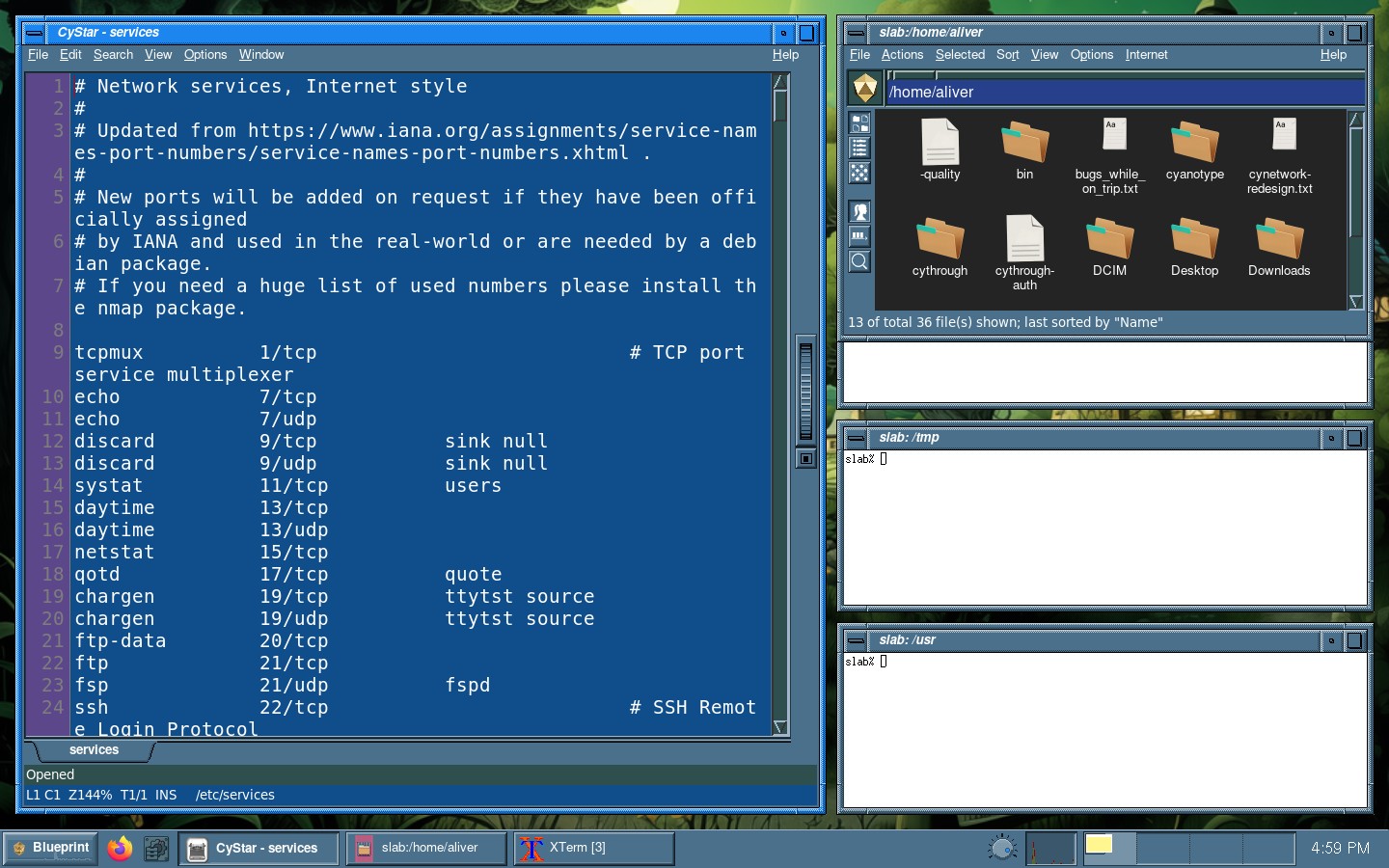
Left. The stack is on the left, and the main window is on the right.
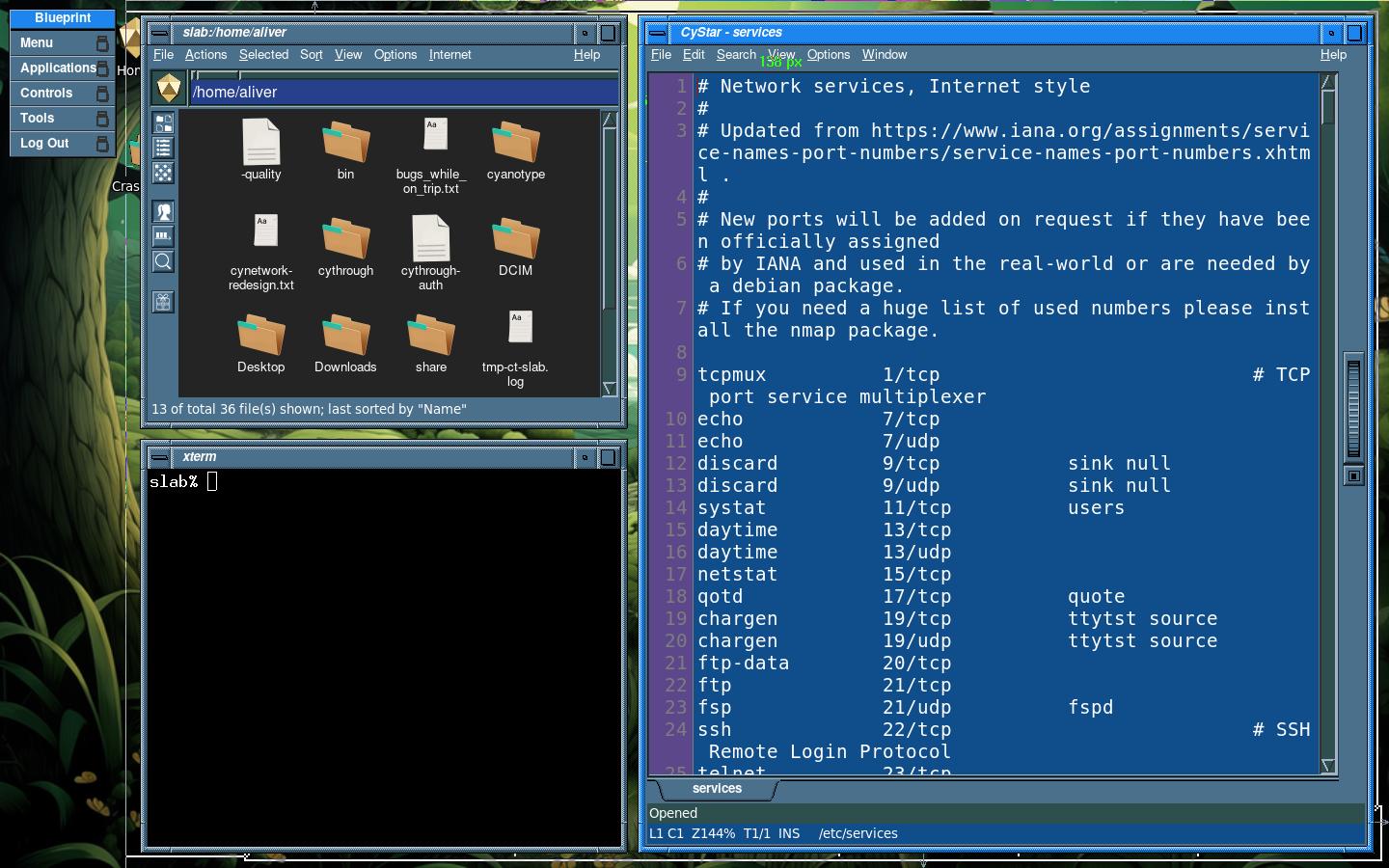
Bottom. The main window is a row along the top, and the others sit along the bottom.
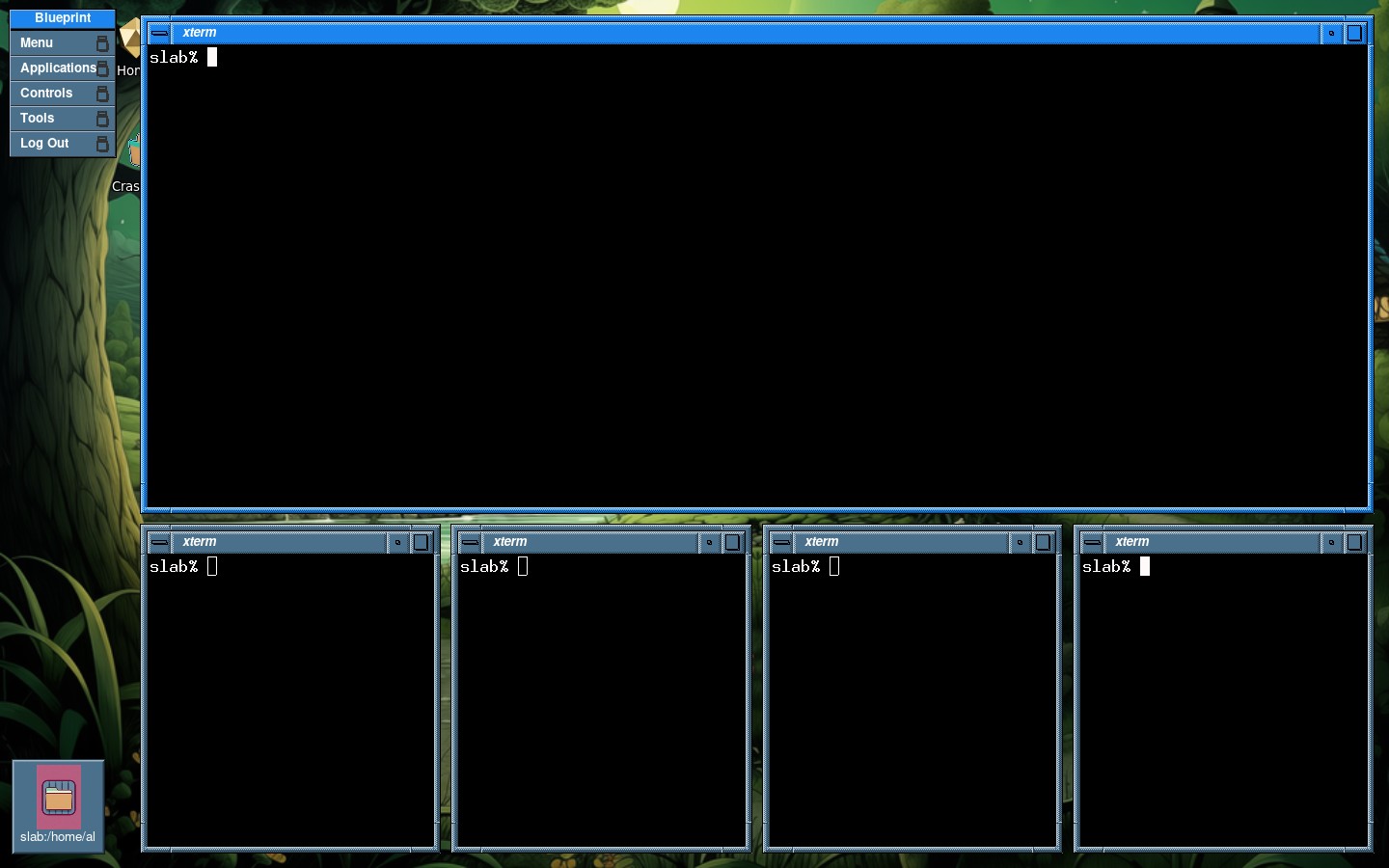
Top. The other windows run along the top, and the main window runs along the bottom.
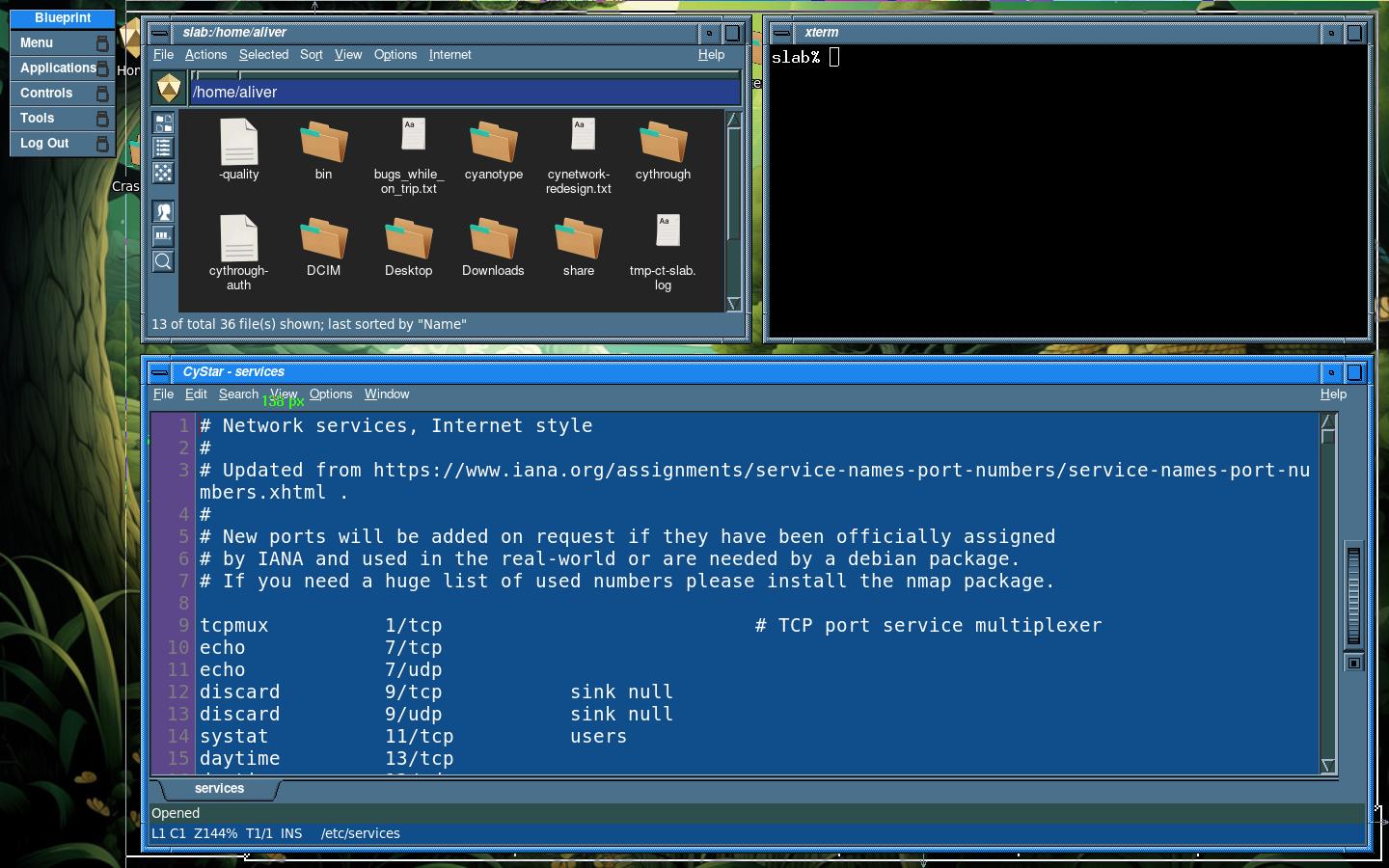
Fair. The windows form a grid, filled by columns first.
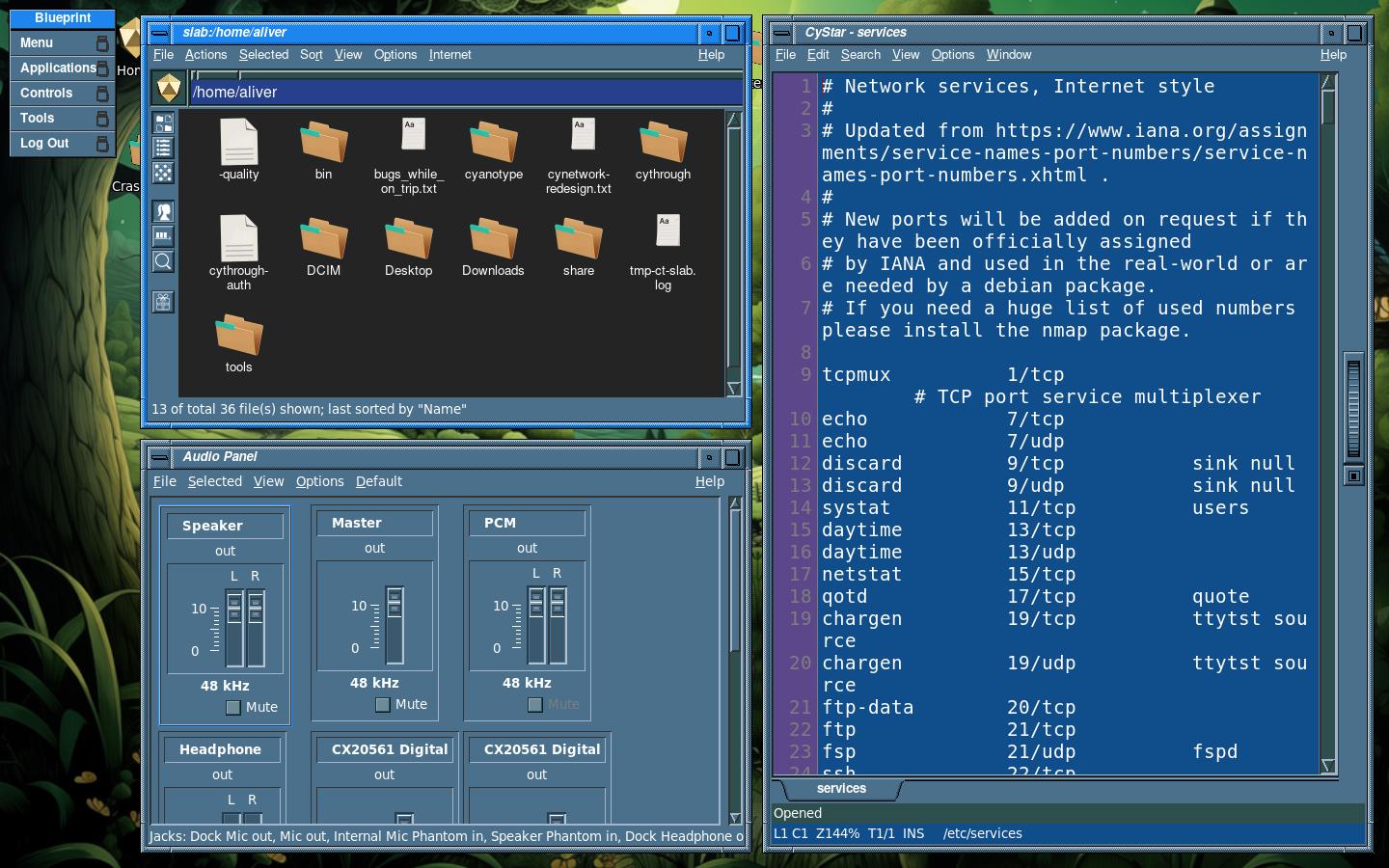
Fair horizontal. It is the same grid, filled by rows first.
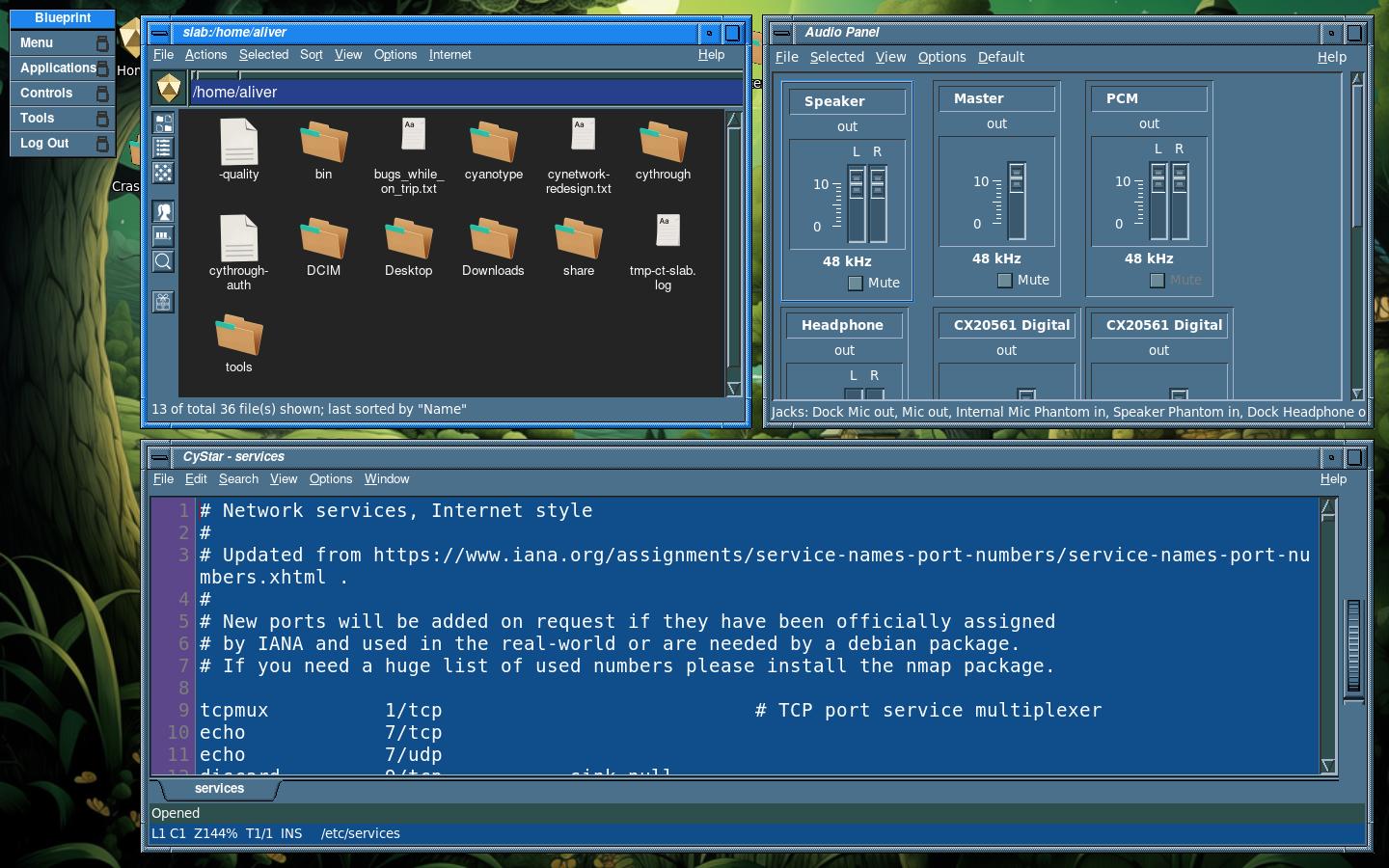
Spiral. Each window takes half of the space that is still left.
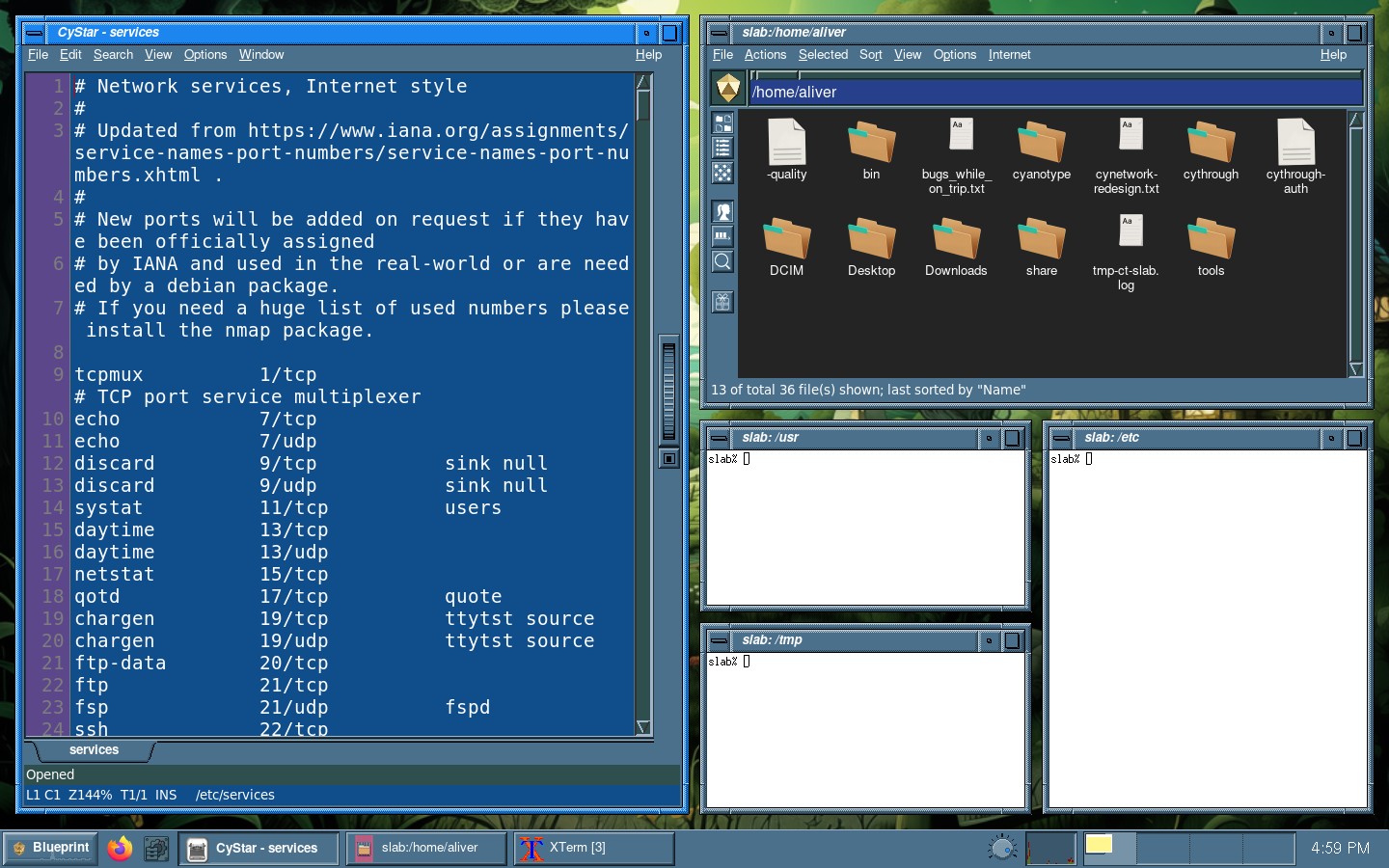
Spiral dwindle. The same halving, alternating between the left side and the top.
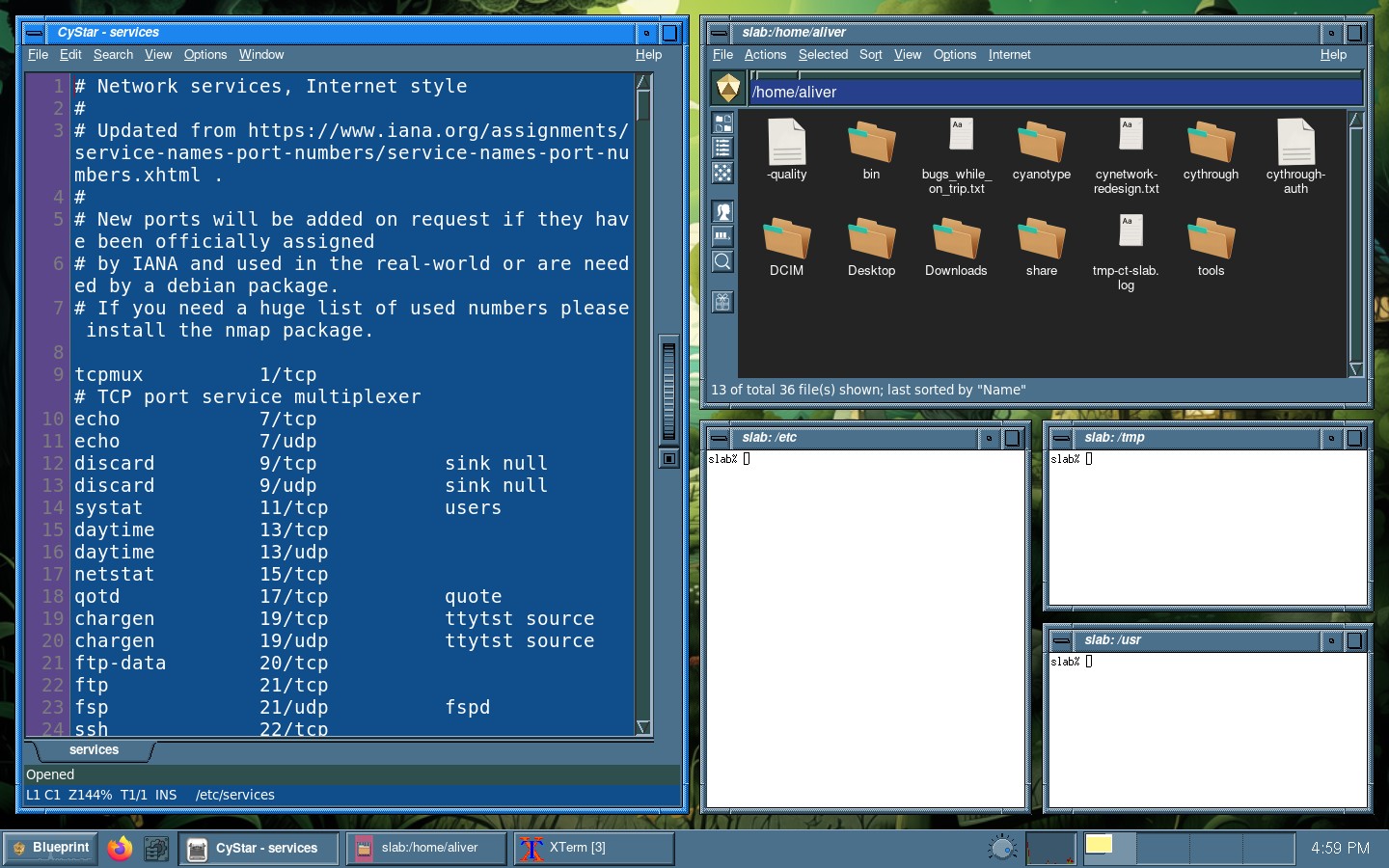
Magnifier. One window is large in the center, and the others sit in a grid behind it.
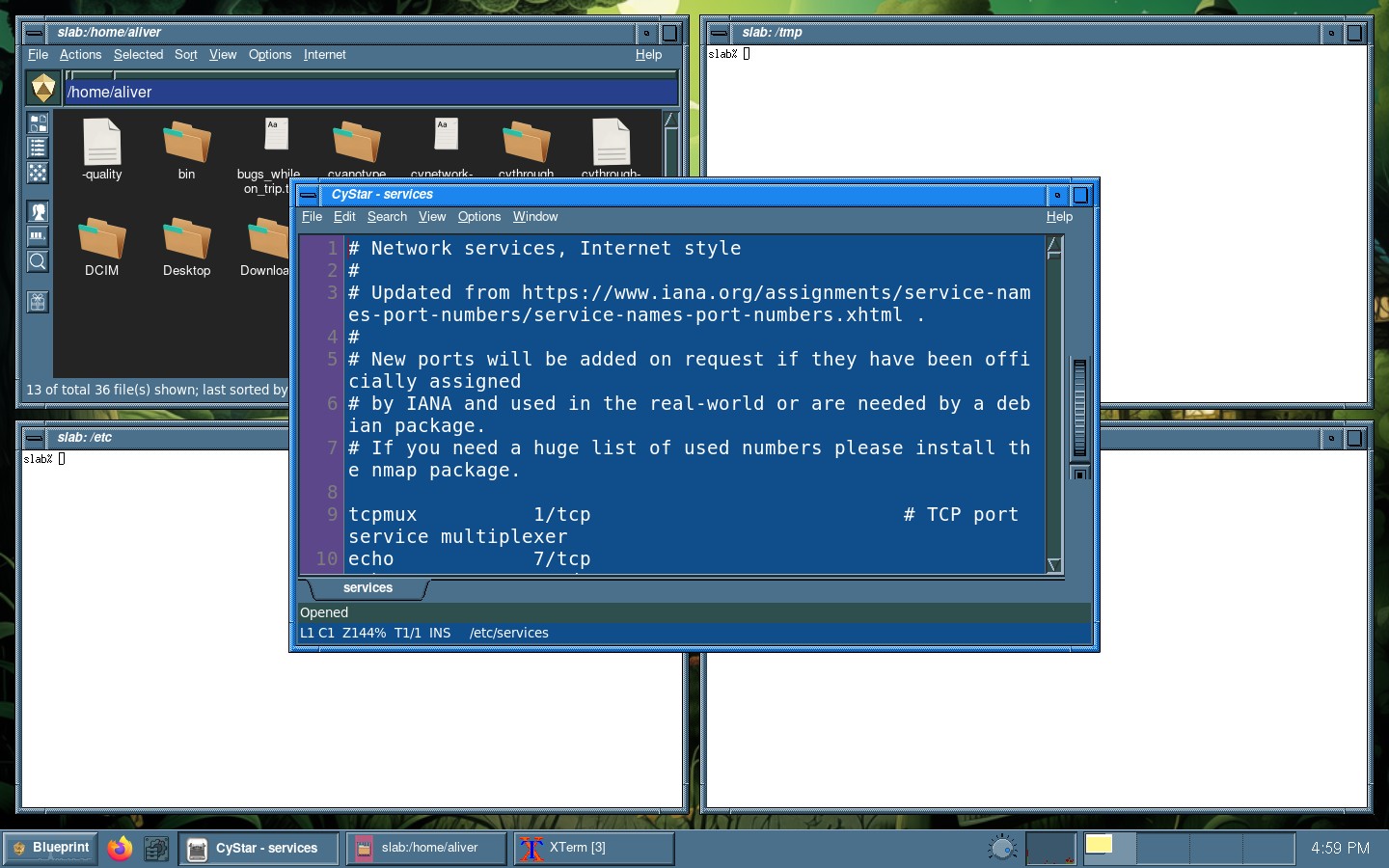
Deco. The panes are cut on golden-section splits, so the layout is not a uniform grid.
See also: CyWM, CyWM Preferences, CyDock
 Cyanotype Project. Blueprint Desktop. BSD 2-clause.
Not affiliated with Silicon Graphics. SGI, IRIX, and Indigo Magic
belong to their owners. 1.0 is aimed at 31 October 2026.
Cyanotype Project. Blueprint Desktop. BSD 2-clause.
Not affiliated with Silicon Graphics. SGI, IRIX, and Indigo Magic
belong to their owners. 1.0 is aimed at 31 October 2026.