
CYANOTYPE
BLUEPRINT DESKTOP
Published X11 apps
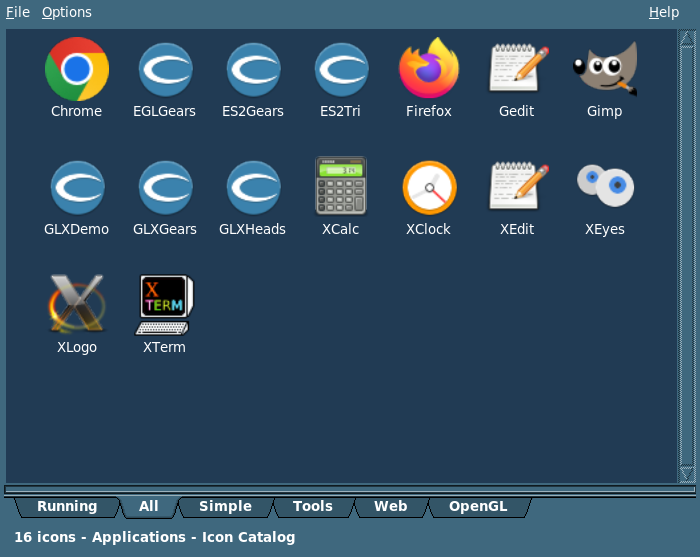
CyThrough shows one published X11 application as a native window on this desk. After you log in, Preferences becomes an icon catalog of the programs that server is willing to run. A click selects a tile. A double-click, or Return, starts that one program. Its windows open here, framed by this window manager, next to the programs that actually live on this machine.
The first tab is Running, which lists programs that are already up. A second double-click resumes one of those. It does not start a fresh copy. The other tabs are the categories you assigned when you published the programs. Right-click a tile and choose Materialize On Desktop to leave a launcher on the desktop, so the next start does not have to open Preferences. Right-click a Running tile and choose Kill this app to stop that program.
The viewer itself is a command-line client. CyThroughD, on the machine that owns the application, is what publishes it. That daemon is personal. It uses your X display, it is not setuid, and the session starts it only if you asked. The long description, and the rest of the pictures, are on the Capital Applications page.
The icon catalog, after login. This server published sixteen programs. The tabs are Running, All, Simple, Tools, Web, and OpenGL. A double-click starts one. A double-click on Running resumes one that is already up.
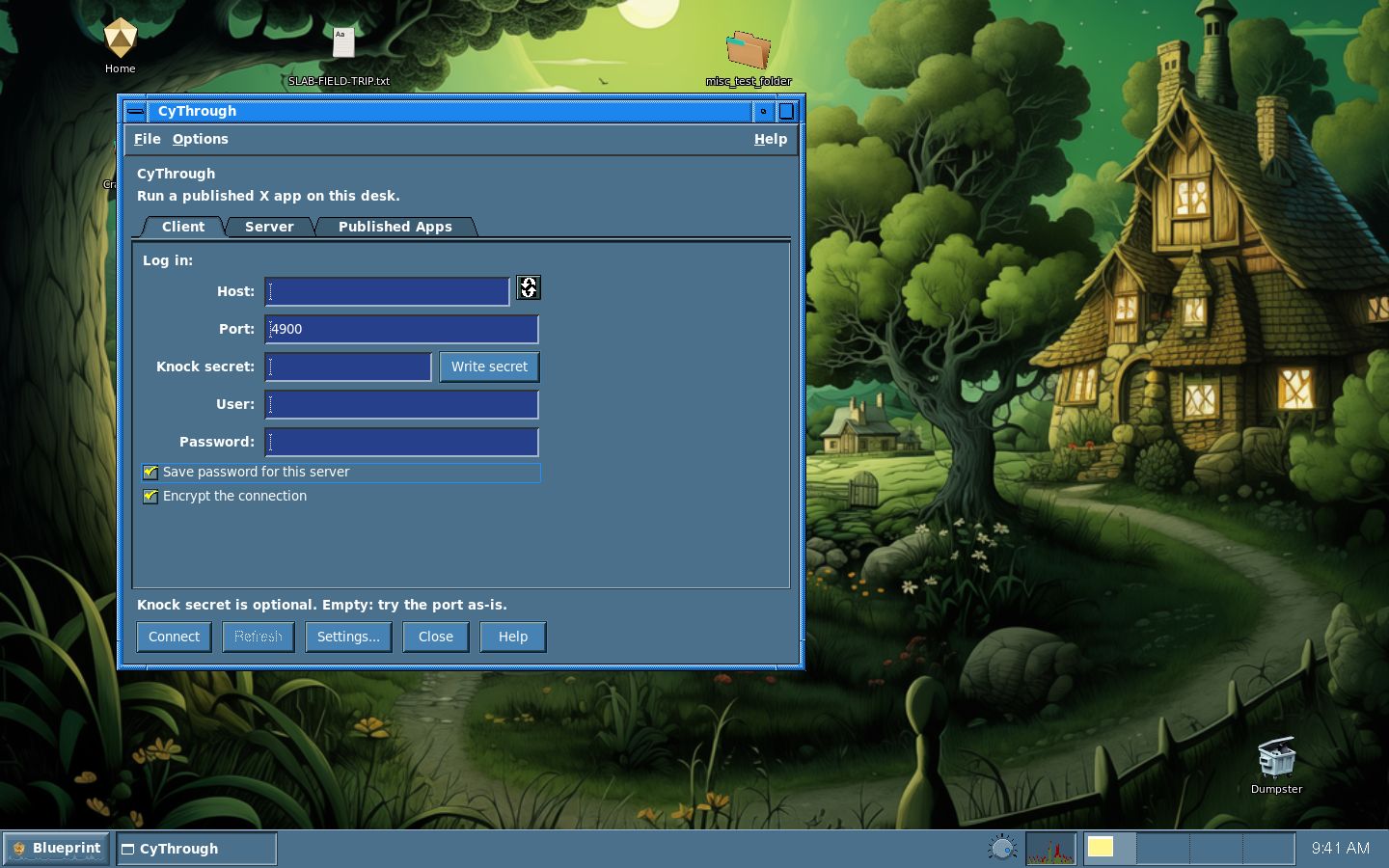
CyThrough Preferences, on the login face. The viewer itself is a command-line client, and this panel is the catalog and the settings.
See also: CyThrough Preferences, Capital Applications
 Cyanotype Project. Blueprint Desktop. BSD 2-clause.
Not affiliated with Silicon Graphics. SGI, IRIX, and Indigo Magic
belong to their owners. 1.0 is aimed at 31 October 2026.
Cyanotype Project. Blueprint Desktop. BSD 2-clause.
Not affiliated with Silicon Graphics. SGI, IRIX, and Indigo Magic
belong to their owners. 1.0 is aimed at 31 October 2026.